KAT Editor is in active development. Drop your email and we'll reach out the moment it's ready to ship.
You're on the list!
We'll reach out when KAT Editor is ready to launch. Keep an eye on your inbox.
The 3D tile editor built for Unity game levels
Paint floors, walls, slopes and decorations in a compact 3D interface —
then export your map straight to Unity as optimised combined meshes
with colliders and prefab placements intact.
A dedicated tool for 3D tile-based game levels — built from scratch in C++ for maximum performance and control.
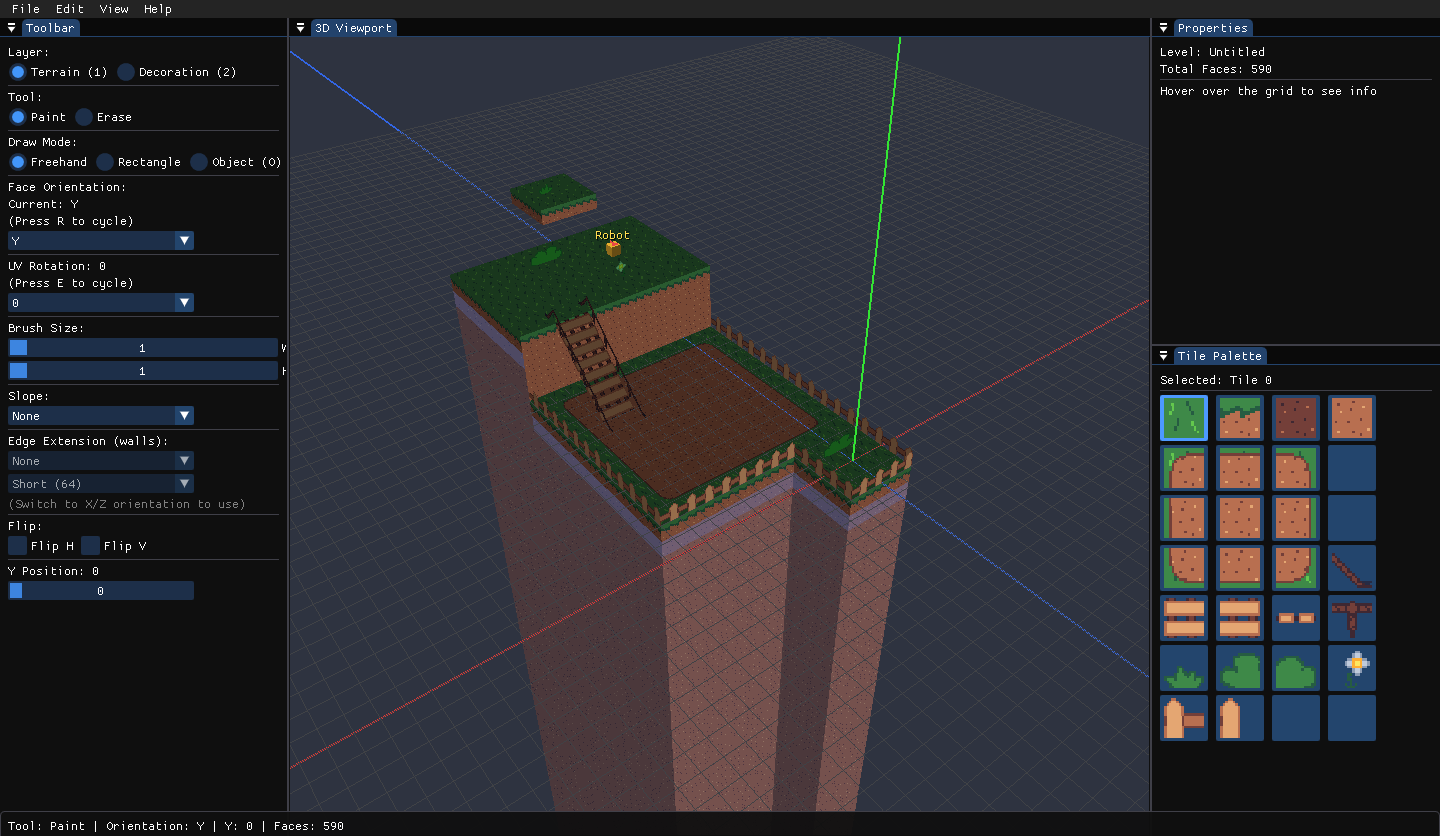
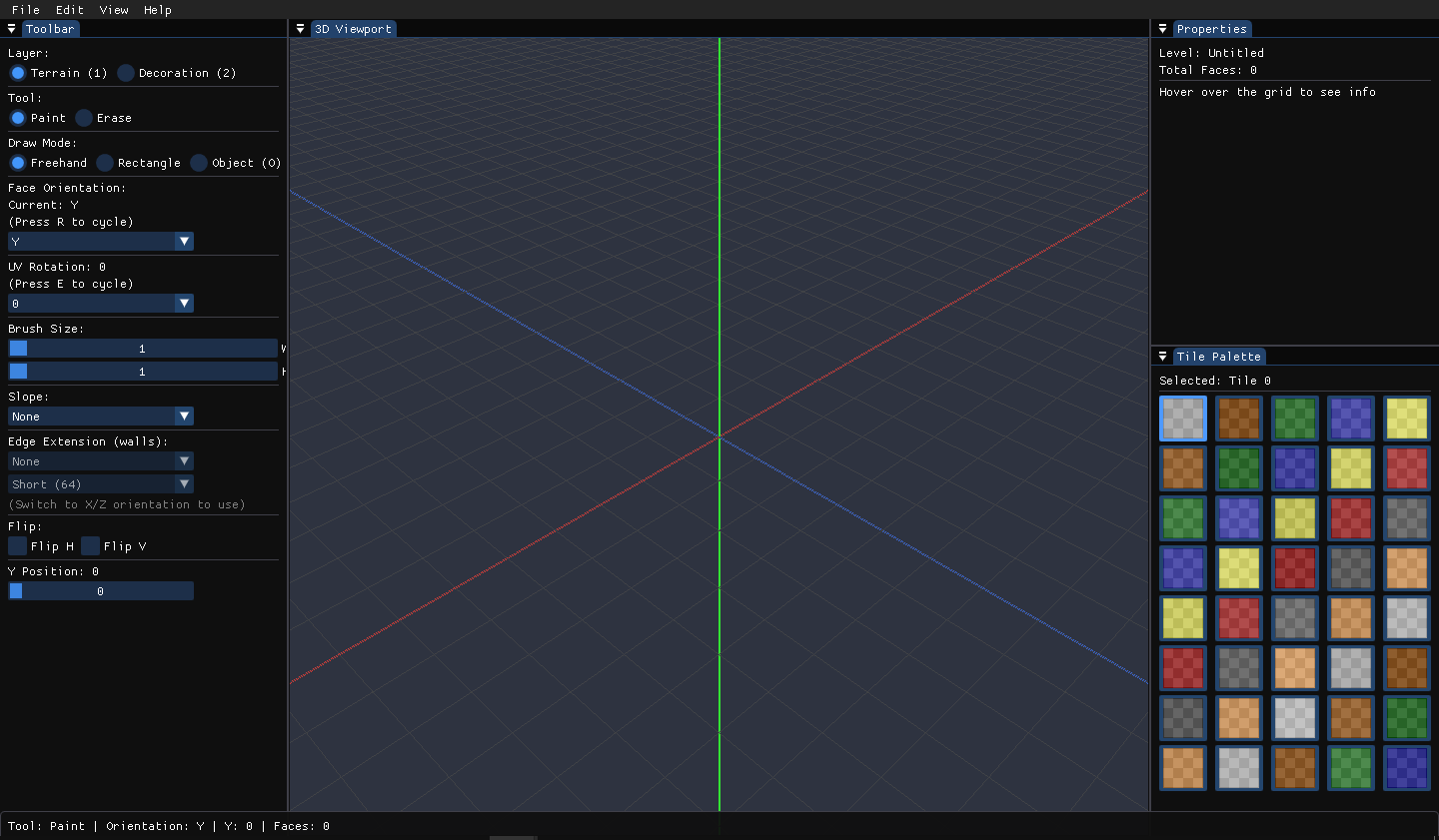
Splash screen — load a tileset and dive straight in, no project setup required.The full editor: 3D viewport, toolbar, tile palette and properties panel in one window.
Features
Everything you need, nothing you don't
Designed from the ground up for 3D tile-based level design — compact, fast, and focused.
Face-per-cell Tiling
Place tiles on individual faces — floors, north/south walls, east/west walls — in the same cell. Flat and sloped variants coexist per slot.
Slopes & Edge Extension
Four-directional slopes raise one world edge to create ramps. Walls extend up or down by Short (64 cells), Tall (256 cells), or a custom amount.
Terrain & Decoration Layers
Two independent layers with colour-coded overlays. Terrain gets a MeshCollider in Unity; Decoration floats free for props and details.
Freehand & Rectangle Draw
Paint tiles as you drag, or snap a rectangle selection. Brush sizes up to 16×16 cells and per-face UV rotation, flip H/V controls.
Tileset Atlas Support
Load a single sprite sheet or a whole folder of images — KAT packs them into one atlas automatically. Nearest-neighbour filtering for crisp pixel art.
Unity Prefab Placement
Place named objects at cell positions with four Y-axis rotations. Linked to Unity prefab paths via a lightweight JSON project config.
Unity Integration
Export directly to Unity
Drop the KAT importer into any Unity project and bring your maps in as optimised meshes and prefab hierarchies in seconds.
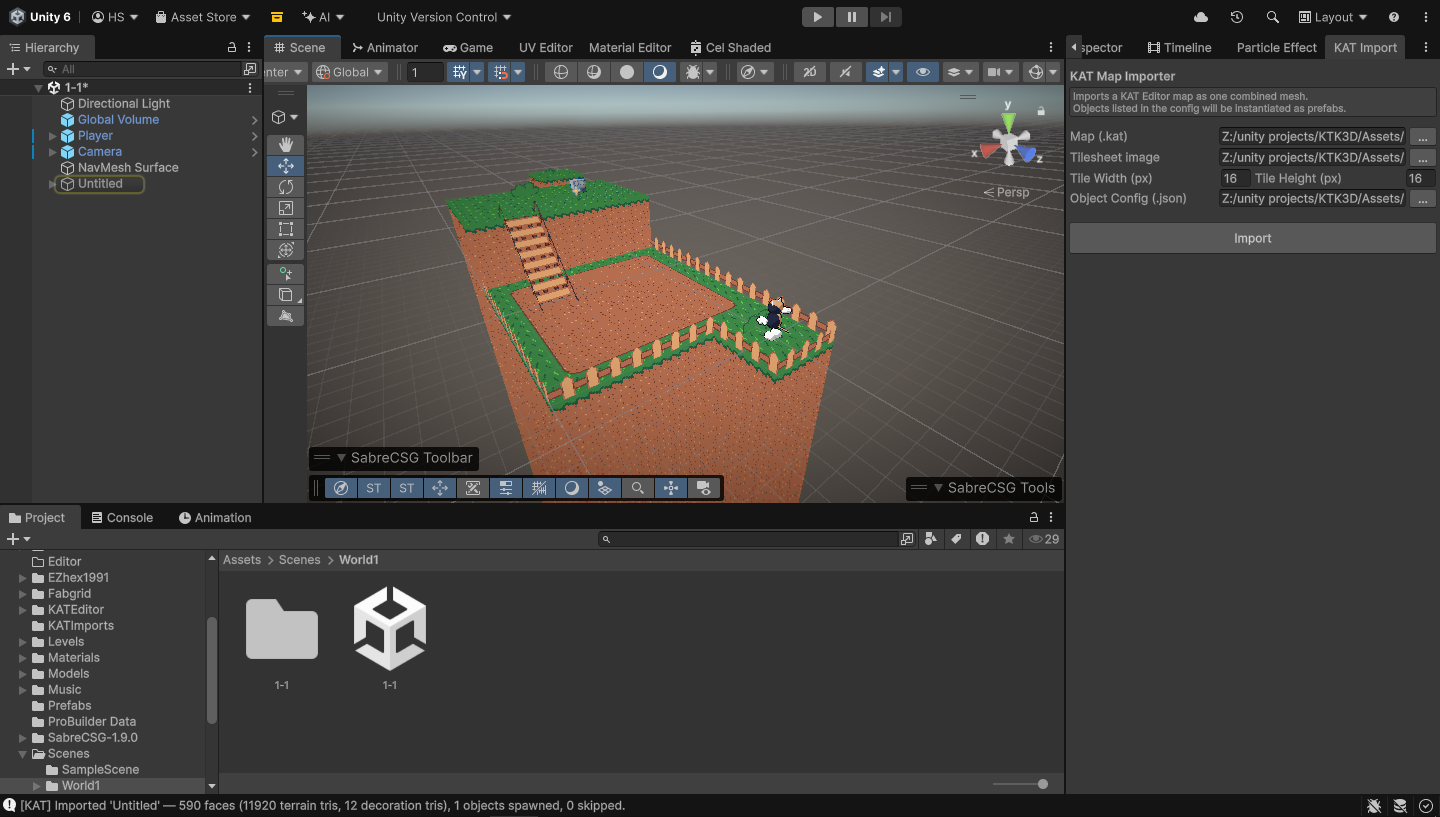
A level built in KAT Editor — floors, walls, decorations, slopes and prefab placements.The same map imported into Unity with combined meshes and prefab instances in place.
One combined mesh per layer (Terrain + Decoration), each split into opaque and alpha-cutout submeshes
Terrain mesh automatically receives a MeshCollider — Decoration stays collider-free
Right-handed → left-handed coordinate conversion handles Z-flip and winding order automatically
Prefab instances placed at correct world positions with automatic Unity rotation compensation
Tilesheet copied to Assets/KATImports/ with nearest filter, no mipmaps, alpha transparency
Shipped KAT/UnlitOpaque and KAT/UnlitCutout shaders, with automatic fallback to URP / built-in
Works with Unity 2020.3+ via Window → KAT Editor → Import KAT Map…
unity
Built for Unity Engine
Early Access
Be the first to know
KAT Editor is in active development. Drop your email and we'll reach out the moment it's ready to ship.